



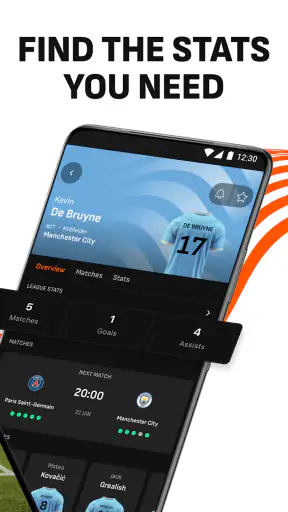
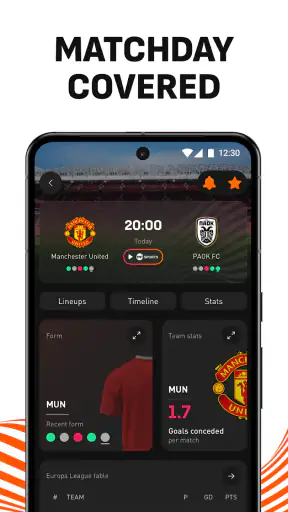
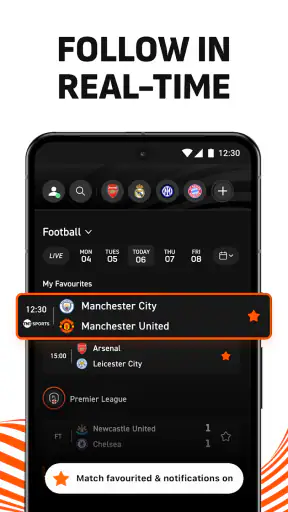
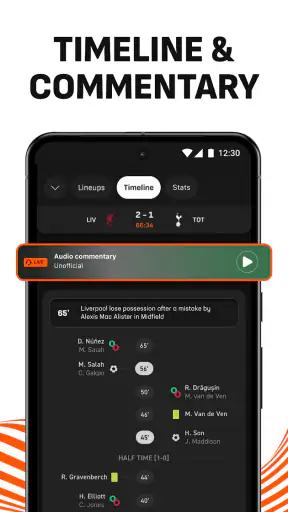
I use LiveScore as a quick way to follow football when I cannot watch a match from beginning to end. It is a free sports app from LiveScore Limited, and its main strength is simple: it puts live scores, match information, highlights, statistics, and breaking news in one place without asking me to turn to several different sources.
That sounds straightforward, but the real test is how well an app works when I am checking it in a hurry, reading it in poor lighting, or trying to follow several matches at once. In those situations, LiveScore feels more useful than a basic score ticker because it gives context around the result. I can see how a game is developing, look back at important moments, and move from a live match to related information without losing the wider football picture.
The app sits in the Sports category and is rated for Everyone, which makes it suitable for a broad audience. It is free to install, supports devices running Android 7.0 or later, and the current version is 9.9.1. Its popularity is also clear from its reach: it has passed 50 million installs, with an average rating of 4.5 from around 589 thousand ratings. Those figures do not guarantee that every person will enjoy the experience, but they do reflect a service that many football followers have made part of their routine.
How clearly the app presents live football information
Readability and navigation when I need an answer quickly
The most successful part of LiveScore is the way it supports a quick glance. When I open it looking for a result, I do not want to work through long articles or promotional screens before finding the match. The app is built around live sports information, so the score and match status are the natural starting points. That makes it practical during a commute, a work break, or any moment when I only have a few seconds.
I find the experience especially helpful when several fixtures are taking place at the same time. A single match page can be useful for a dedicated supporter, but a broader score view is better when I want to compare progress across competitions. I can scan the list, identify the game that matters to me, and then open it for more detail. This is more efficient than searching separately for each club or relying on a general web search that may return articles before the live result.
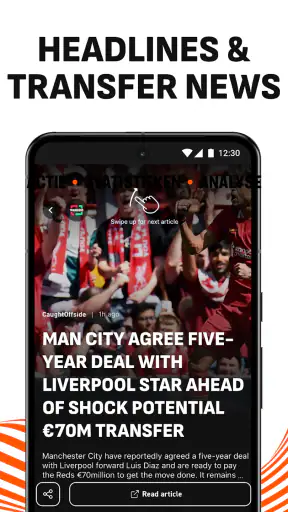
The app also benefits from keeping different kinds of information close together. A score tells me what happened, but match statistics help explain the result, while highlights can provide visual context. Breaking news adds another layer for people who follow football beyond the ninety minutes. The useful design choice is the movement from a fast overview to deeper detail; I can stop after checking the score or continue into the match page when I have more time.
For readers who prefer larger text or who find dense screens tiring, the experience depends partly on the device’s own display settings and on how comfortably they can read the app’s interface. I would not treat LiveScore as a specialist accessibility tool, but its purpose is clear enough that the main task is not hidden behind complicated terminology. A person who understands football scoreboards should be able to learn the basic flow quickly.
There is a trade-off, though. Combining scores, news, statistics, and highlights means the app can feel busier than a minimalist result widget. If all I want is one team’s final score and nothing else, the additional material may be unnecessary. I prefer the fuller approach, but users who are easily distracted should decide whether they want a complete football hub or only a quiet notification-style service.
Following a match without watching the whole broadcast
LiveScore works well for a common everyday situation: I am cooking dinner while a match is being played, and I cannot keep a video stream open. I can check the score between tasks, return to the match page when something changes, and use the available match information to understand whether the game is close or one-sided. Later, highlights can fill in some of the moments I missed.
This is where the app is more useful than a standard sports news page. News articles are often written after an event and may take me away from the immediate state of the match. LiveScore keeps the live situation central. I do not need to read a full report just to discover whether the score has changed.
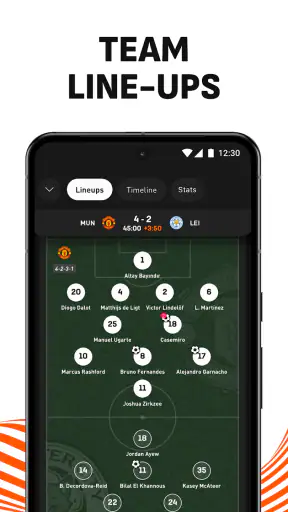
I also like this workflow for matches involving teams I do not follow closely. For a favourite club, I may already know the lineup, competition, and recent form. For another fixture, statistics and highlights help me decide whether it deserves more attention. That makes the app useful not only for committed supporters but also for people who casually follow a tournament and want a reliable overview.
Statistics and highlights add context, but they do not replace live viewing
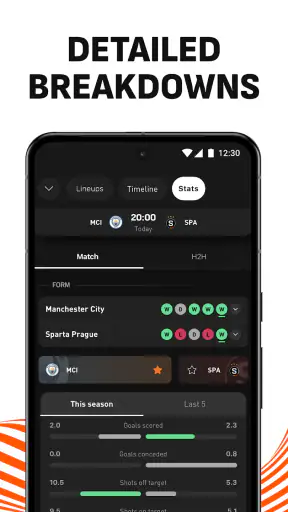
The inclusion of match statistics is valuable because a score alone can be misleading. A team may be behind while creating most of the chances, or it may be protecting a narrow lead under pressure. Statistics cannot reproduce the feeling of watching the game, but they give me a more informed snapshot than the scoreline by itself.
Highlights are useful when I miss a match or arrive late. They turn the app from a purely numerical tool into something more visual. I would still choose a full broadcast when I want atmosphere, commentary, and every tactical detail, but that is not the job LiveScore performs best. Its role is to help me stay connected when a full viewing session is impractical.
One practical tip is to use the live score view for speed and open the match details only when I need interpretation. If I immediately explore every available section, I can spend more time navigating than following the football. Treating the app as a two-stage tool—quick scan first, deeper review second—makes it feel less cluttered.
Motor and sensory considerations during everyday use
From a motor perspective, the app is most comfortable when I can use ordinary taps and scrolling without rushing. The basic journey is familiar: choose a match, inspect its details, and return to the wider list. That simplicity matters for anyone who finds complex gestures difficult. I do not need to learn an unusual control system to reach the central information.
However, live sports apps naturally encourage frequent checking, and that can create pressure to tap quickly through changing content. Someone with limited dexterity may prefer to pause on a match page rather than repeatedly moving between screens. The app is easier to use when I decide in advance which competition or fixture matters most, instead of trying to manage every live event at once.
For sensory needs, the combination of text, visual match information, highlights, and news gives users more than one way to engage. A person who cannot watch video at a given moment can still use the written score and statistics. Someone who finds long articles difficult can focus on the compact match information. That flexibility is one of the app’s stronger inclusive qualities, even though it does not turn the product into a dedicated accessibility service.
Video highlights are not equally convenient in every setting. On public transport, at work, or in a quiet home, I may want the score and written details without playing media. LiveScore remains useful in that situation because the core information is not dependent on watching a clip. Conversely, a user who relies mainly on visual footage may find the experience less satisfying than a video-focused sports platform.
Text-heavy news can also be demanding for people with concentration difficulties or limited reading stamina. I would approach the news area selectively, using it when I want an update rather than treating every headline as essential. The app is at its best when I control the amount of information I consume instead of allowing the full range of content to compete for attention.
Situational access: where LiveScore fits into real routines
The app makes sense for people who follow football in fragments. I use it during short gaps in the day: waiting for an appointment, taking a break, or checking a result before starting another task. Because the information is organized around live matches, it is more practical in those moments than opening a long-form sports site designed for extended reading.
It is also useful for supporters who follow teams in different competitions. Rather than remembering separate pages for league matches, cup fixtures, and major football news, I can use one sports destination as my starting point. That reduces the mental effort of remembering where each type of update is located.
Another good use case is social conversation. If a friend mentions a match I have not watched, I can check the current or final score, inspect the available statistics, and understand enough of the context to join the discussion. I would not claim that this replaces watching the game, but it is a convenient way to avoid feeling completely out of touch.
The app is less suitable when I need a quiet, highly focused experience with no extra football coverage. A simple notification tool may be better for someone who follows one club and wants only final scores. A dedicated streaming service is the stronger choice for someone who wants live video, commentary, and a broadcast-style presentation. LiveScore occupies the middle ground: richer than a bare score alert, but not a substitute for watching every match.
For people using older Android devices, the minimum operating system of Android 7.0 is worth checking before installation. The app’s free price removes the financial barrier for many users, but device compatibility still matters. On a supported phone, I would also keep the app’s purpose in mind: it is designed for current sports information, so its value depends on having a dependable way to connect when checking live events.
Remaining barriers and points of friction
The biggest limitation is information density. Football fans may appreciate having scores, highlights, statistics, and news together, but a newcomer can see several layers of content competing for attention. The app is not difficult to understand, yet it rewards users who take a moment to establish a simple routine rather than exploring everything at once.
There is also a difference between knowing a score and understanding a match. Statistics can suggest momentum, but they do not always explain tactics, injuries, or the emotional shape of a game. News can add context, but it may not be the quickest route to a clear answer. I see LiveScore as a strong reference point, not as a complete replacement for specialist analysis or a live broadcast.
Users with visual, hearing, motor, or cognitive needs may have different experiences depending on their device settings and personal preferences. The app offers multiple content types, which helps in some situations, but I would not assume that every screen or every media element will suit every user. Anyone who depends on a particular assistive setup should test the current interface with that setup before making it their only sports source.
Another trade-off is attention. Regularly checking live scores can become distracting, particularly for people who are trying to work or relax. I find the app most helpful when I use it intentionally—for example, checking a match at halftime or after an important update—rather than opening it automatically every few minutes. The same immediacy that makes it useful can become a nuisance if I do not set boundaries around it.
The app also may not satisfy people who want highly personalized football analysis. Its broad appeal comes from covering the essential live experience and surrounding information, not from acting like a specialist coaching platform. If my priority were detailed tactical breakdowns, fantasy management, or an immersive community discussion, I would look for a service built specifically around that need.
Who should use it, and who should choose something else?
I recommend LiveScore to football followers who want one dependable place to check live results and then explore enough detail to understand what is happening. It is particularly good for people with busy schedules, supporters who follow multiple fixtures, and casual viewers who miss parts of matches but still want highlights and statistics afterward.
I also think it suits users who prefer information in layers. The first layer is the score, the second is match detail, and the third includes wider news and visual content. That structure lets me decide how much time and attention to give each visit. It is a better fit for flexible, on-and-off use than for someone looking for a single-purpose scoreboard.
I would suggest a different option to someone whose main requirement is live video. LiveScore can help me keep up with a match, but it is not the same as being in front of a full broadcast. I would also look elsewhere if I wanted only one team’s alerts with minimal visual content, or if I needed a platform designed around advanced accessibility controls rather than general sports coverage.
The app’s Everyone age rating and free availability make it easy to recommend to a household with different football interests. Still, an inclusive recommendation should be practical rather than automatic: each person should consider whether the amount of information, the reading experience, and the media mix work for them. A broad audience does not mean an identical experience for every user.
My inclusive verdict after using it
LiveScore succeeds because it respects the way many people actually follow football: in short visits, between other responsibilities, and with different levels of attention. I can read a score without watching a video, inspect statistics when I want more context, and use highlights or news when a match deserves a closer look. That range gives the app useful flexibility across busy, noisy, or visually limited situations.
Its weaknesses are connected to the same design. Bringing so much football information together can feel busy, and the app cannot replace the depth or atmosphere of a live broadcast. Users with specific accessibility requirements should also evaluate the current interface on their own device rather than assuming that a general sports app will meet every need.
Even with those qualifications, I consider LiveScore a strong everyday companion for football. The developer, LiveScore Limited, has built an app that is easy to approach, broad enough for regular supporters, and useful in the moments when watching is not possible. If I want fast scores with meaningful follow-up information, this is one of the free sports apps I would keep installed.


